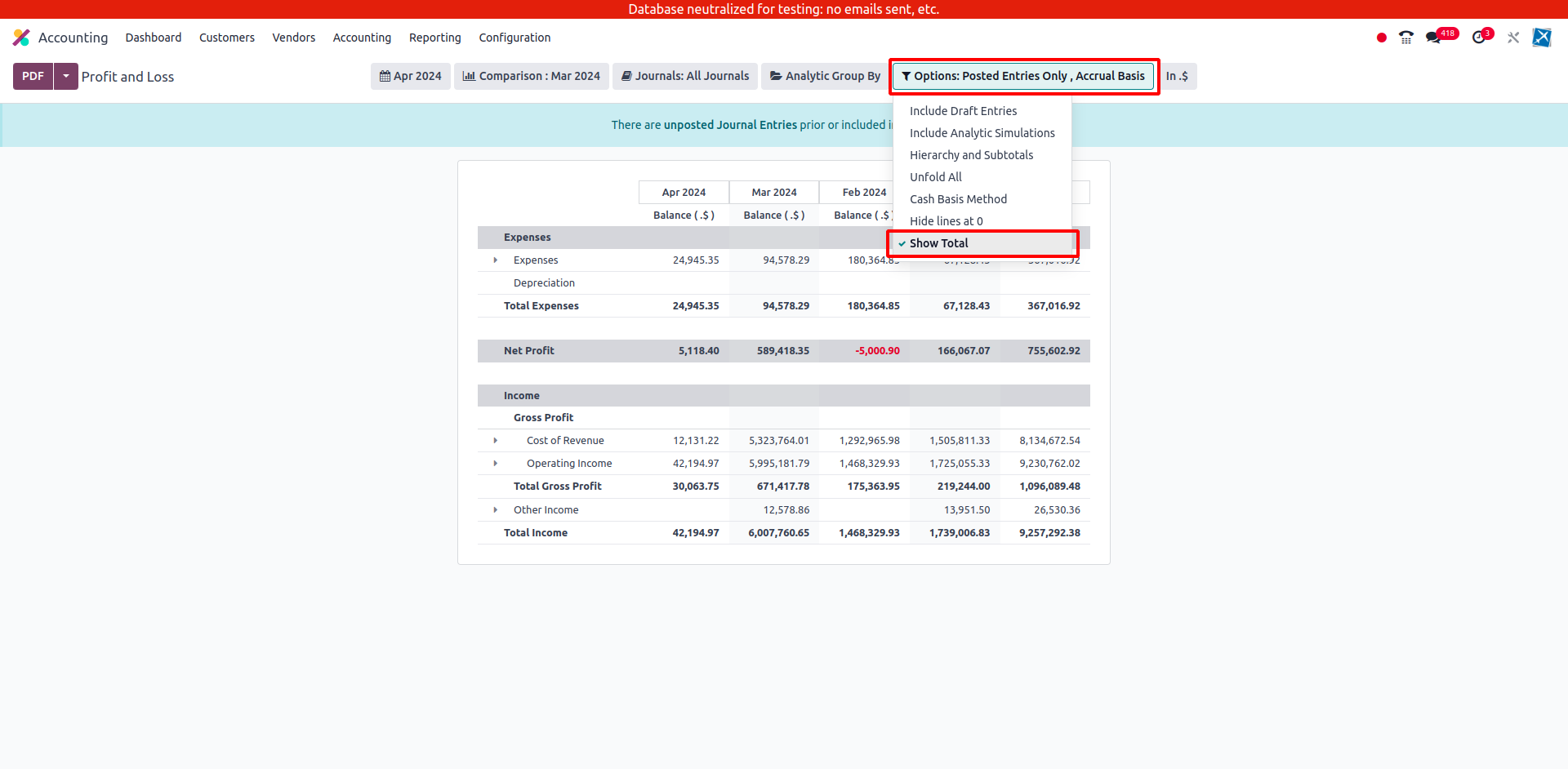
Accounting Report Total Column
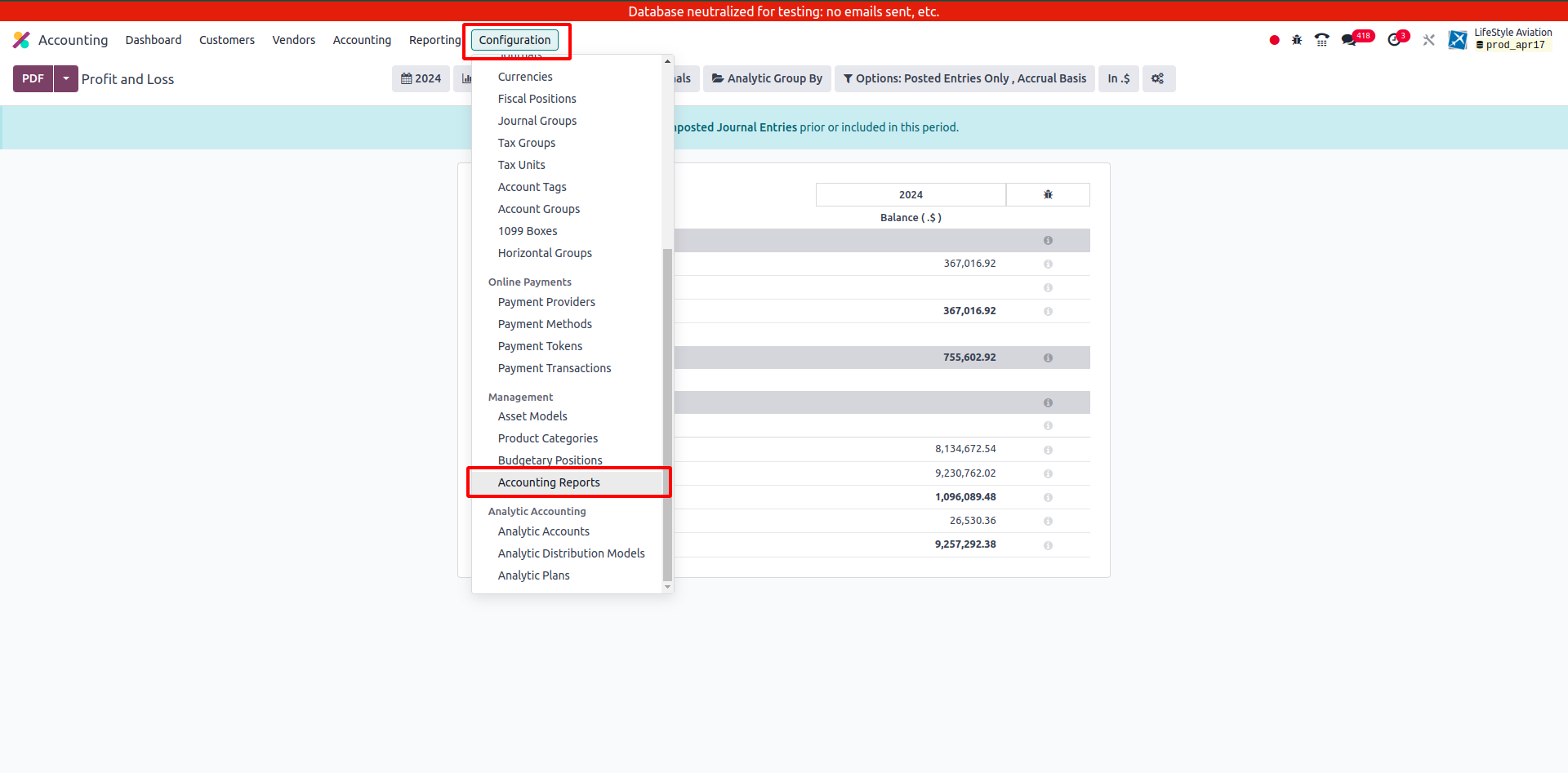
Navigate to Configuration -> Accounting Reports to select the report where you'd like to enable the total column.
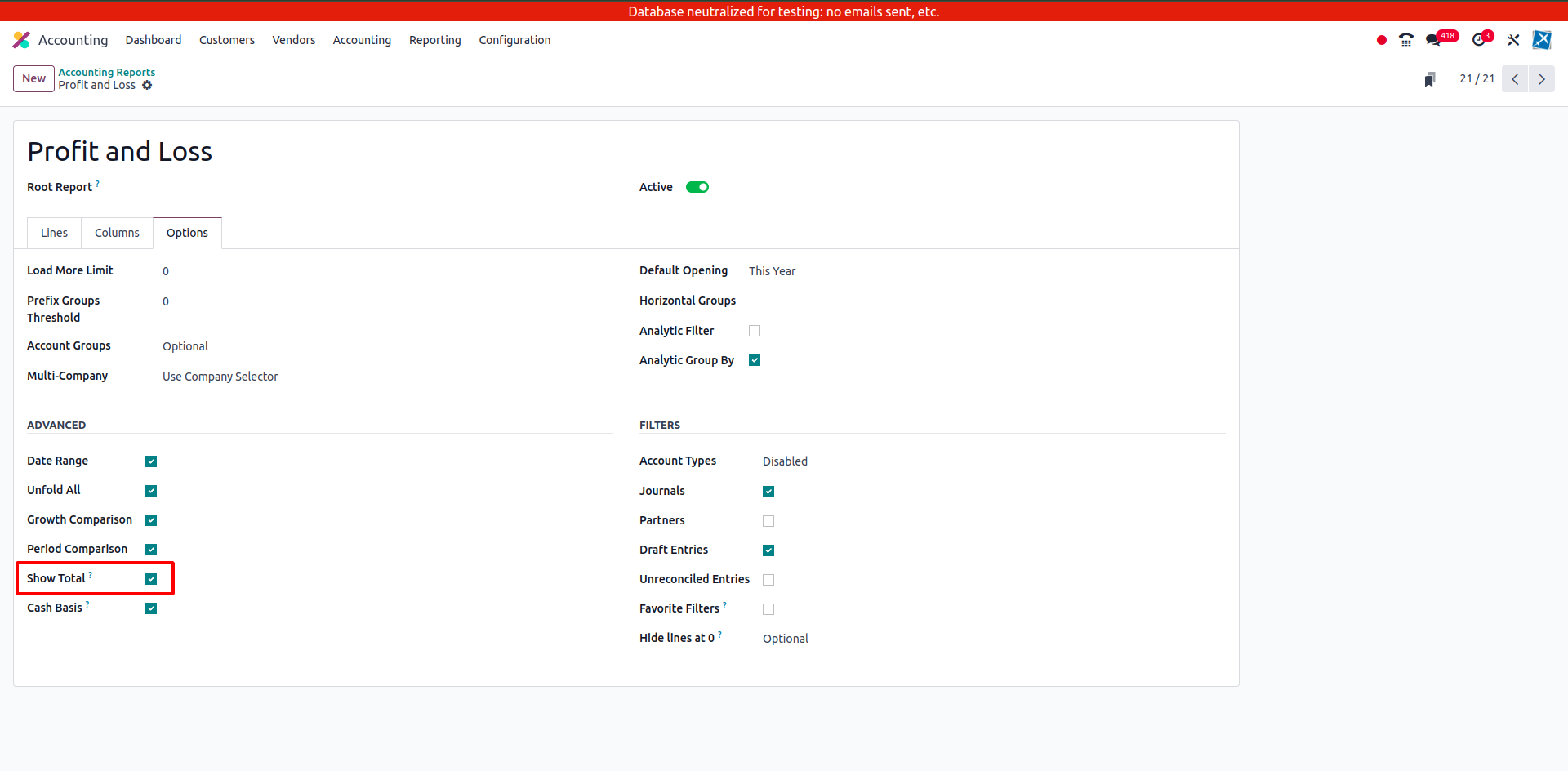
Once you've chosen the report, go to the Options tab. Here, you'll find a field labeled 'Show Total' (Boolean field). Enable this feature to activate the total column filter option for the report.
After enabling the 'Show Total' field, upon opening the report, you'll notice a filter section at the top. Within this section, you'll find an option labeled 'Show Total'. Activate this filter to display the total column in your report.