x📘 Avware Website Theme System – User Guide
This document explains the Avware Theme System, which allows website administrators to customize the site's appearance using custom CSS files. The system provides a user-friendly interface for managing, exporting, importing, and resetting website themes.
🔧 Key Features
- ✅ Unified CSS Theme File with standardized structure
- 🧑💼 Administrator Interface for theme management
- 📤 Export & Import Options for editing themes externally
- ♻️ Reset to Default theme functionality
- 📁 File-Based Customization for flexible and fast updates
🧭 Navigating the Theme System
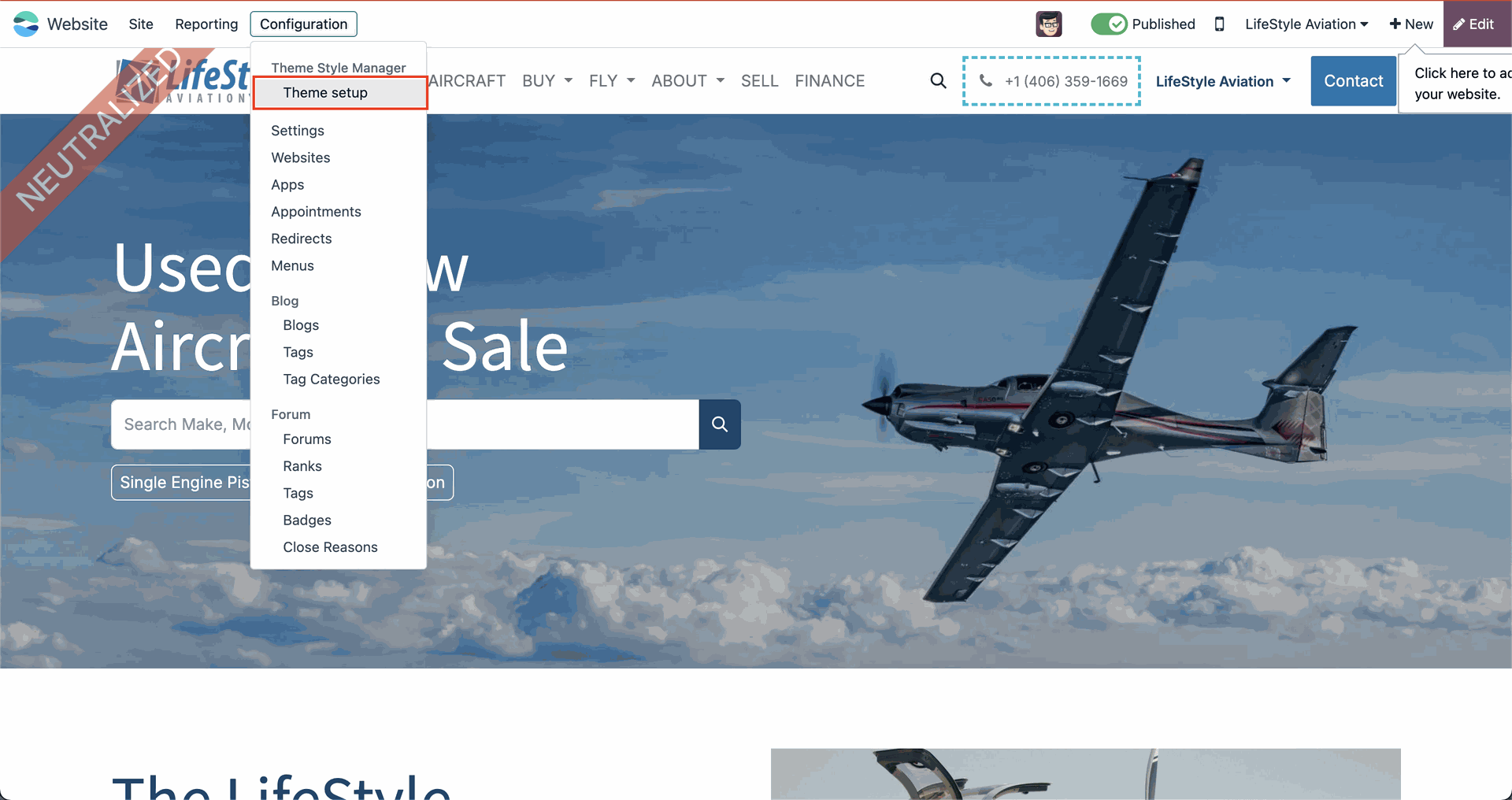
To manage website themes:
- Go to Website > Configuration > Theme Style Manager > Theme Setup
- Choose a custom CSS file to apply new styles
- Export the current theme to make edits in your own editor
- Use the Reset to Default button to revert to the original theme
🎨 Customizing the Website Theme
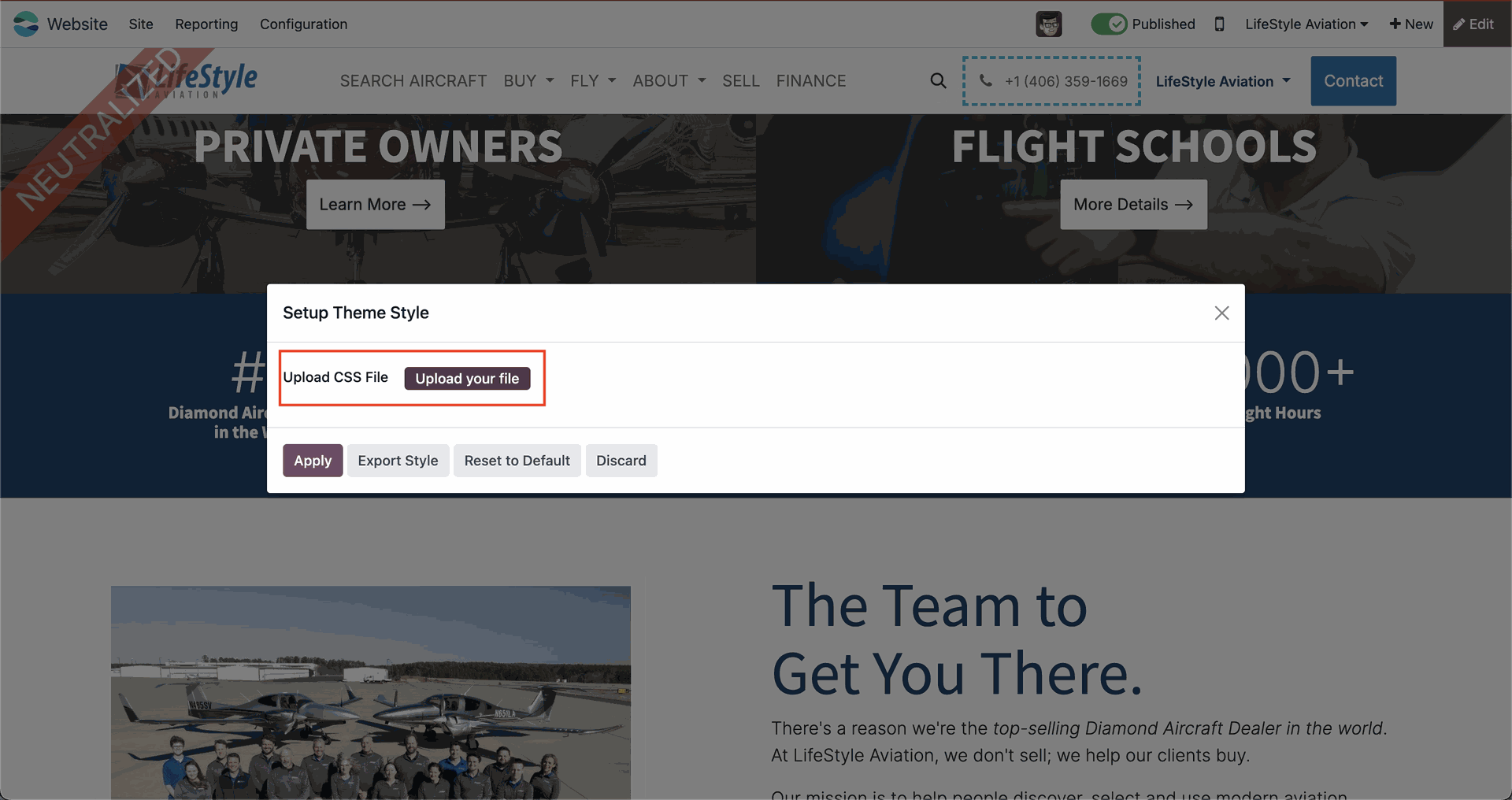
- Click Export Style to download the current CSS file.
- Edit the file using any standard code or text editor.
- Return to the Theme Setup section.
- Upload the updated CSS file in the field.
- Click the Apply button to apply new styles.
⚙️ Technical Overview
The system is implemented with the following architecture:
- The default theme (avware_theme.css) is stored in the backend module
- A custom version (avware_theme_custom.css) is created for user modifications
A wizard interface allows easy management of themes by administrators